
WAV vs. FLAC vs. MP3: Does Audio Quality Matter in 2026?
TL;DR: Does Audio Quality Matter?
Only if your gear can handle it.
- Bluetooth/AirPods: 320kbps MP3 is sufficient.
- Wired DAC/Hi-Fi: FLAC is the 2026 gold standard (bit-perfect, 50% size of WAV).
- Studio Production: Use WAV for recording/editing only.
Open Spotify and play your favorite song. Can you hear the difference between it and the studio master? For many, streaming quality has reached a "good enough" plateau. But as 2026 brings more sophisticated audio gear and widespread lossless streaming, the question of whether audio quality matters is more relevant than ever.
Quick Comparison: WAV vs. FLAC vs. MP3
| Feature | WAV | FLAC | MP3 (320kbps) |
|---|---|---|---|
| Quality | Lossless (Uncompressed) | Lossless (Compressed) | Lossy (Compressed) |
| Bit-Perfect? | Yes | Yes (Identical to WAV) | No (Information lost) |
| File Size | Large (100%) | Medium (40-60%) | Small (~15%) |
| Metadata Support | Poor | Excellent | Excellent |
| Best Use Case | Studio Recording/Editing | Personal Library/Archiving | Casual Listening/Sharing |
Does Audio Quality Really Matter for Music Streaming in 2026?
With the launch of Spotify Lossless and the maturity of Apple Music Hi-Res, the "streaming quality war" has peaked. But does it matter for you?
- The Equipment Factor: If you are using Bluetooth headphones (like AirPods), the wireless bandwidth (AAC/SBC) is the bottleneck. You won't hear the full benefit of FLAC. You need a wired DAC/Amp setup to truly appreciate lossless audio.
- The Environment Factor: In a noisy car or commute, the subtle details of a 24-bit/96kHz file are masked by background noise.
- The "AI" Advantage: In 2026, AI-driven audio enhancement and spatial audio processing perform significantly better when fed with lossless sources.
If you are an audio producer, content creator, or an audiophile who values every nuance of the stereo field, the choice of format is far from simple.
Technical Breakdown of the Big Three
Before diving into real-world comparisons, let's clear up the technical side. Most articles pile on specs, but I want you to understand the practical meaning behind these numbers.
WAV: Raw Data, Zero Embellishment
WAV is the most straightforward format. When a microphone captures sound, the analog signal is converted to a digital signal (PCM encoding), and these numbers are written to a file exactly as they are—that's WAV. No compression, no optimization, every sample point is there. It's like dubbing Dumbledore's master tape directly into a digital file, without compressing dynamic range or adjusting frequencies.
The current professional standard is 24-bit / 48kHz. 24-bit means each sample point uses 24 bits of data to record volume, covering a dynamic range of over 140dB (human ear limit is about 120dB). 48kHz is the sample rate, capturing the instantaneous state of sound 48,000 times per second, capable of reproducing frequencies up to 24kHz (beyond human hearing range).
And 32-bit float is becoming increasingly popular in recording. Its magic lies in being seemingly impossible to clip: even if the volume exceeds 0dBFS (digital ceiling), it can be brought back down in post-production without distortion. This is particularly useful for field recording—you don't have to worry about a singer's sudden high note ruining the whole track.
FLAC: The Art of Lossless Compression
FLAC is essentially the ZIP version of WAV. It uses mathematical algorithms to find redundant information in audio data (like continuous silence or repeating waveform patterns) and expresses it more concisely. Upon playback, the decoder restores FLAC back to WAV, bit for bit.
The main proof here is the Null Test: convert a song from WAV to FLAC and back, then phase-invert it against the original file. If playback is perfectly silent, it proves the data is identical. Decades of testing have shown: FLAC and WAV sound is bit-perfect, with zero loss in sound quality.
File size can typically be compressed to 40%-60% of WAV. A four-minute song at 24-bit/48kHz WAV is about 50MB, while FLAC is only about 25MB. For a music library with thousands of songs, this difference means terabytes of storage space.
Space is key.
MP3: Lossy, But Not Bad
MP3 uses psychoacoustic models: it actively discards information that the human ear struggles to perceive. For example, when a loud low frequency and a quiet high frequency occur simultaneously, the ear is "masked" by the low frequency and cannot hear the high frequency, so MP3 simply deletes that part of the data.
Currently, 320kbps CBR is the baseline for professional-grade MP3. At this bitrate, most people (including many professionals) cannot consistently distinguish it from lossless formats in ABX blind tests. But this doesn't mean 320kbps is "perfect"—on high-end audio systems, in quiet environments, and with focused listening, trained ears can still catch the loss of high-frequency details and blurring of the stereo field.
MP3's biggest advantage is universality. Almost every playback device and platform supports it, from 1998 MP3 players to the latest iPhones, from old car stereos to top-tier music workstations. And files are small: that same four-minute song is about 10MB in 320kbps MP3.
Real-World Comparison: From Sound Quality to Workflow
Technical specs are just paper data. What really decides your choice is actual performance across these four dimensions.
Dimension 1: Perceived Sound Quality
WAV and FLAC are identical in sound quality. As frequently debated in audiophile communities like r/audiophile and Head-Fi, blind test data shows that even trained audio engineers cannot consistently distinguish between the two. Claims you see online about "WAV sounding more transparent" are likely the placebo effect, or due to some older players playing WAV slightly louder.
There is a fringe theory that the FLAC decoding process generates "jitter" noise in the CPU, affecting DAC output. But in 2026, even mid-range audio equipment processing power and electrical isolation designs keep this noise millions of times lower than the audio's own noise floor.
MP3 is a different story. 320kbps is virtually indistinguishable from lossless in casual listening, but in high-quality monitoring scenarios, it reveals itself:
- High-frequency roll-off: Especially frequencies above 16kHz, losing some "air."
- Stereo field compression: Layers and positioning in complex arrangements become blurred.
- Transient response loss: Fast drum hits, pick attacks, and other transient details get "smoothed out."
Dimension 2: File Size Comparison (Tested)
I'll use a typical pop song (4:30, normal arrangement) as an example:
- 24-bit / 48kHz WAV: 51.2 MB
- 24-bit / 48kHz FLAC: 28.7 MB (56% compression rate)
- 320kbps MP3: 10.3 MB
If you are a producer with a 50-song album session:
- WAV: ~2.5 GB
- FLAC: ~1.4 GB
- MP3: ~500 MB
For mobile users with a 128GB phone:
- Store WAV: ~2,500 songs
- Store FLAC: ~4,500 songs
- Store MP3: ~12,000 songs
Dimension 3: Workflow Impact
When processing audio in a DAW, format affects CPU load and real-time performance. WAV requires no decoding, reading data directly for the lowest latency. FLAC requires real-time decompression, which might add a few milliseconds of latency in complex projects (100+ tracks, heavy plugins). This is why Pro Tools and Logic default to WAV as the working format.
Additionally, metadata support is a key factor. FLAC supports complete tags, album art, lyrics, and composer info, while WAV's metadata support is primitive and often gets lost or scrambled. If you need to manage a music library of thousands of songs, FLAC's metadata advantages will save you a lot of headaches.
Scenario-Based Selection Guide
Now let's put technical parameters into specific scenarios to see how to choose in actual work.
Scenario 1: Audio Production Workflow
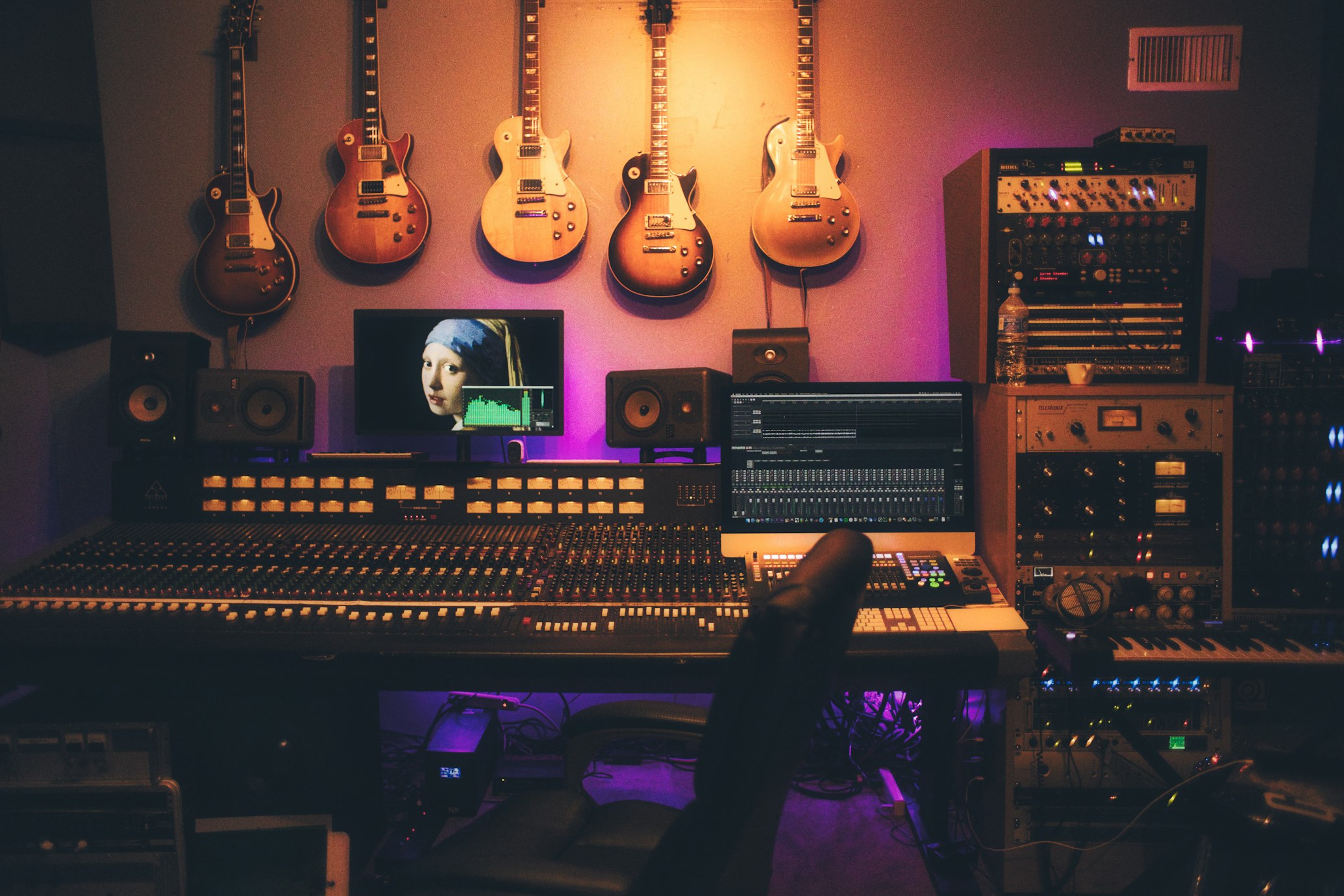
- Recording Stage: Use 32-bit float WAV. This is the new standard for studios in 2026, making clipping almost impossible. Even if a player suddenly blasts a loud solo, you can lower the volume by 20dB in the mix without distortion.
- Editing and Mixing Stage: Use 24-bit / 48kHz WAV. DAW read speeds are fastest and latency lowest, making a difference in complex projects. Plus, most DAWs default to exporting WAV, requiring no conversion.
- Mastering Stage: Continue with 24-bit / 48kHz WAV or higher specs (96kHz/192kHz). When delivering to aggregators (DistroKid, TuneCore), they require 24-bit WAV so streaming platforms start transcoding from the highest quality source.
- Backup and Archiving: Use FLAC. Your work folder might have hundreds of TBs of project files; storing all as WAV is too costly. Converting to FLAC saves half the space, and metadata is preserved well, so you'll still know which version of which song it is years later.
Scenario 2: Music Library Management & Personal Collection
If you are an audiophile with a high-quality library of thousands of songs, FLAC is the best choice. Simple reasons:
- Sound quality is identical to WAV, but file size is half. A 2TB drive holds ~6,000 albums in WAV, but ~11,000 in FLAC.
- Easy metadata management. You can embed album art, lyrics, and composer info in FLAC, managing them smoothly in players like Foobar2000 or MusicBee.
- Broad compatibility. In 2026, almost all players and phones natively support FLAC; iOS users have the equivalent ALAC format.
If your storage is infinite and you want the absolute simplest solution, use WAV. But honestly, very few people still insist on building libraries with WAV in 2026.
Scenario 3: Content Creation (Podcasts, Video Voiceover)
- Production Stage: Use 24-bit / 48kHz WAV, for the same reasons as above—DAW workflow industry standard.
- Final Delivery: This depends on the platform:
- Podcast Platforms: Most require MP3 320kbps or AAC 256kbps. Due to RSS feed file size limits and mobile download speed considerations. A 60-minute podcast might be 600MB in WAV, but only ~140MB in 320kbps MP3.
- YouTube/Bilibili: Recommend uploading 24-bit / 48kHz FLAC or WAV. Although the platform will transcode to AAC or Opus, starting from a high-quality source preserves more detail.
- TikTok/Short Video: Use MP3 320kbps directly. These platforms compress aggressively; uploading lossless files won't improve quality but will increase upload time.
Scenario 4: Mobile Devices and Portable Playback
The logic here is Storage Space vs. Sound Quality Pursuit.
- Top-tier HiFi Players (Fiio M17/Astell&Kern): Use FLAC. These devices usually have 512GB or even 1TB storage, and users are after ultimate sound quality.
- Smartphones (Commuting/Exercise): Depends on your headphones. If using AirPods or other Bluetooth headphones, Bluetooth bandwidth limits (AAC/LDAC encoding) are the bottleneck, so 320kbps MP3 is enough. If using wired high-end headphones, go for FLAC.
- Car Audio: Most new cars in 2026 support FLAC, but the noise floor in cars is high (about 60-70dB), masking many subtle sound quality differences. MP3 320kbps is a more cost-effective choice with better compatibility.
Scenario 5: Sharing and Quick Transfer
- When sending Demos or rough mixes via WeChat, Discord, or Email, MP3 320kbps is the best choice. Small file, fast upload, guaranteed playback.
- If delivering formal files to clients or partners, use 24-bit WAV or FLAC. Use cloud services like Dropbox, WeTransfer, or Baidu Drive for large files.
Professional Choices in 2026
Theory aside, let's see what the industry actually uses.
Recording Studios and Mixing Rooms
The mainstream config in 2026 is: Recording in 32-bit float WAV, mixing and mastering in 24-bit / 48kHz WAV, archiving in FLAC. This is a very mature workflow.
An interesting change is the prevalence of Dolby Atmos Spatial Audio. Delivering Atmos mixes to Spotify or Apple Music now requires a special WAV format called ADM BWF (Audio Definition Model Broadcast Wave Format). It's based on WAV but embeds spatial channel metadata.
Audiophile Communities and Hi-Res Platforms
FLAC is the official format of Hi-Res music platforms. Qobuz, Tidal, and Bandcamp all use FLAC for lossless delivery. Spotify finally launched lossless playback in 2025, also adopting FLAC 24-bit / 44.1kHz.
Apple Music sticks to its own ALAC (Apple Lossless Audio Codec), supporting up to 24-bit / 192kHz. Technically, ALAC and FLAC are equivalent, just with slightly different encoding algorithms.
Content Creators and Podcasters
Podcasting remains the domain of MP3 320kbps. Over 95% of podcasts are delivered in MP3 due to RSS feed bandwidth limits and mobile data considerations.
YouTube and video creators are advised to upload 48kHz / 24-bit lossless files (FLAC or PCM). Even though platforms transcode to AAC or Opus, starting from a high-quality source retains more detail after secondary compression.
An Interesting Trend: AI Audio Tools In 2026, with the spread of AI audio processing tools (like vocal isolation, auto-mixing), creators are finding that using high-quality sources at input helps AI algorithms perform better. For example, feeding FLAC into Ultimate Vocal Remover or iZotope RX can improve separation accuracy by 10-15% compared to MP3.
Decision Framework: 5-Minute Quick Selection
By now, you probably have your answer. But here's a quick decision process to help you judge in specific scenarios.
What is your primary goal?
- Audio Production/Editing → WAV (Workflow) + FLAC (Archive)
- Music Collection/Listening → FLAC
- Sharing/Transfer → MP3 320kbps
- Podcast/Short Video → MP3 320kbps
- Professional Delivery/Mastering → 24-bit WAV
Do you care about storage space?
- Yes (Limited) → FLAC or MP3
- No (Ample) → WAV or FLAC
Do you need to manage metadata (tags, covers)?
- Yes → FLAC or MP3
- No → WAV or FLAC
Can you perceive the difference between MP3 and lossless?
- Yes (High-end system + Quiet room + Focused listening) → FLAC or WAV
- No (Casual listening/Commuting) → MP3 320kbps is enough
FAQ
Q: Does audio quality really matter for music streaming in 2026? A: Yes, but only if your hardware can keep up. If you use high-end wired headphones and a DAC, lossless streaming (FLAC) provides a noticeably wider soundstage and better transient response. On Bluetooth gear, the difference is negligible due to wireless compression.
Q: Which sounds better, FLAC or WAV? A: Exactly the same. Technically they are bit-perfect; any audible difference is placebo or an equipment issue.
Q: Does converting MP3 to FLAC improve sound quality? A: No. Once audio is compressed to MP3, the data is lost forever. Converting it back to FLAC only increases file size without restoring any quality. It's like enlarging a pixelated image.
Q: What is the best audio format for YouTube uploads in 2026? A: We recommend uploading in 24-bit / 48kHz FLAC or WAV. YouTube will re-compress everything to AAC or Opus, so providing the highest quality source ensures the best possible result after processing.
Q: Do I need 32-bit float audio for listening? A: No. 32-bit float is crucial for recording to prevent clipping (distortion). For playback, 24-bit or even 16-bit covers the entire human dynamic range. 32-bit float files are unnecessarily large for listening.
Q: Why do pros still use WAV instead of FLAC? A: Because of DAW real-time requirements. WAV needs no decoding, offering lower latency in complex projects. But many convert to FLAC for archiving to save space.
Q: Is 320kbps MP3 really no different from lossless? A: In casual listening, most people can't tell. But in high-quality monitoring environments, trained ears can still catch differences in high-frequency detail and stereo field.
Q: What sample rate should I use? 48kHz or 96kHz? A: For most people, 48kHz is sufficient. Higher rates (96kHz/192kHz) might be beneficial during mixing (headroom for time-stretching, etc.), but 48kHz is fine for final delivery.
Q: Should I convert my entire library from WAV to FLAC? A: If storage is tight, yes. The process is lossless, saves half the space, and FLAC metadata management is better. Tools like dbpoweramp or fre:ac can batch convert.
Finally, I want to emphasize again: there is no absolute right or wrong format, only suitable or unsuitable. WAV is the industrial standard in production, FLAC is the best balance for archiving and listening, and MP3 is the realistic choice for sharing and mobile scenarios.
In 2026, technology is mature enough to let us choose flexibly based on specific needs. Don't obsess over "which format is perfect," but ask yourself: "In this scenario, which format makes my workflow more efficient and my experience better?" That is the professional way of thinking.
Experience iPlayer Now
🎧 Ready to Build Your Lossless Library?
Whether you choose WAV or FLAC, iPlayer delivers the ultimate local playback experience, bringing the studio to your ears.
- 🎼 All-Format Support: Native support for FLAC, WAV, DSD, APE—no transcoding loss
- ⚡ Hi-Res Audio: Supports up to 192kHz/24bit output, restoring every detail
- 🚫 Zero Ads: Permanent ad-free promise for the purest listening space