
Does Converting FLAC to MP3 Lose Quality? 2026 Technical Guide
Does converting FLAC to MP3 lose quality?
TL;DR
Yes, it does lose quality—technically—but most people can't hear the difference.
- Technical Reality: Converting FLAC (lossless) to MP3 (lossy) is irreversible and permanently removes some audio data.
- Perceptual Reality: At 320kbps, MP3 is "transparent," making it nearly impossible to distinguish from FLAC, even on high-end gear.
- 2026 Strategy: Keep FLAC for your master archive and use MP3 320kbps for mobile listening.
Introduction: The FLAC to MP3 Conversion Question
If you've built a library of high-quality FLAC files over the years, you've likely faced the storage versus quality dilemma. As your collection grows, so does the demand for space—especially on mobile devices with limited storage. The question "Does converting FLAC to MP3 lose quality?" isn't just technical curiosity; it's a practical decision affecting how you manage and enjoy your music in 2026.
The direct answer is yes, converting FLAC to MP3 does lose quality—technically and irreversibly. But the more nuanced truth is that for most listeners, under most conditions, the perceptual loss may be negligible. This article cuts through the audiophile myths and marketing hype to give you the 2026 technical reality. We'll explain exactly what happens during conversion, how much quality is actually lost, and when conversion makes practical sense versus when you should preserve your FLAC files at all costs.
Recent developments in audio technology have reshaped this conversation. AI-enhanced reconstruction tools promise to "restore" lost quality, while high-resolution streaming services offer alternatives to local storage. Meanwhile, storage costs have shifted, and playback equipment has evolved. By the end of this guide, you'll have a clear decision framework based on your specific use case, not generic advice that may not apply to your situation.
Technical Reality: What Happens When You Convert FLAC to MP3
To understand the quality loss, we need to start with the fundamental difference between the two formats. FLAC (Free Lossless Audio Codec) is mathematically lossless—it preserves every bit of the original audio data, just like a ZIP file preserves documents. MP3 (MPEG-1 Audio Layer III) is lossy—it permanently discards data deemed "inaudible" based on psychoacoustic models. The conversion from FLAC to MP3 is a one-way street: you can't get back what's thrown away.
The Three Dimensions of Quality Loss
1. Precision Loss: From Exact Samples to Frequency Approximation
FLAC stores audio as exact 16-bit or 24-bit samples—discrete measurements of the sound wave at each moment in time. MP3 converts these samples into a frequency-domain representation using the Modified Discrete Cosine Transform (MDCT). Think of it as translating a detailed photograph into a painting: the essence remains, but fine details are approximated. This process introduces quantization noise, though at high bitrates (256kbps+), this noise floor typically sits below the threshold of human hearing.
2. Frequency Response Loss: The 20kHz Cutoff
MP3 encoders apply a low-pass filter to save space. At 128kbps, the cutoff is typically around 16kHz; at 320kbps, it extends to approximately 20kHz. While human hearing generally tops out at 18-20kHz for young adults (and less as we age), the absence of these ultra-high frequencies can affect phase relationships and harmonic integrity. FLAC files, especially those sourced from 96kHz recordings, can preserve frequencies up to 48kHz. Even if you can't consciously hear above 20kHz, research suggests these frequencies contribute to the sense of "air" and spatial realism.
3. Temporal Artifacts: Pre-echo and Smearing
When audio contains sharp transients—think drum hits or piano attacks—MP3's block-based processing can cause "pre-echo," where a faint version of the sound appears milliseconds before the actual event. Modern LAME encoders (2026 versions) use sophisticated short-block switching to minimize this artifact, making it detectable only with specialized equipment in most cases.
Visual Analogy: High-Resolution Photo vs. Compressed JPEG
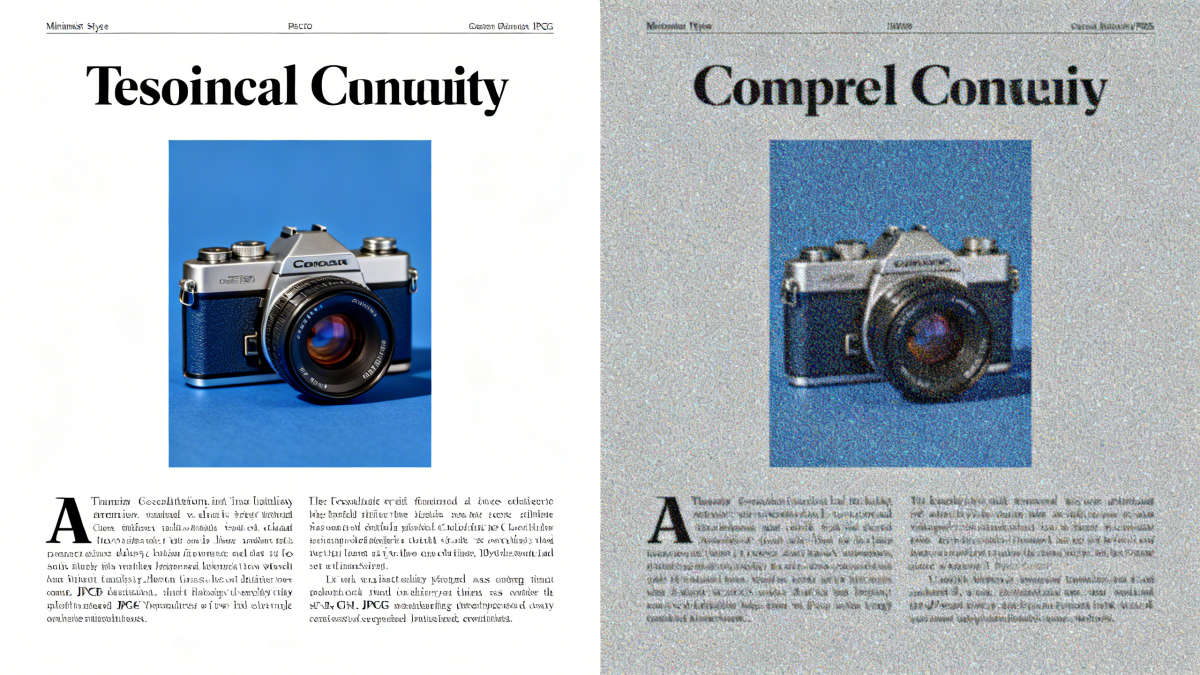
Imagine you have a 50-megapixel RAW photo (FLAC). Converting to MP3 is like saving it as a high-quality JPEG: the image looks identical to most viewers, but pixel-level examination reveals lost detail, color accuracy reduction, and compression artifacts around edges. If you later try to "upscale" that JPEG back to RAW (like AI reconstruction tools promise), you're generating guessed pixels, not recovering the original data.
Technical Deep Dive: MDCT and Psychoacoustic Modeling
The MDCT breaks audio into frames, transforms them to the frequency domain, then applies a psychoacoustic model that determines which frequencies can be discarded without audible impact. This model considers masking effects (where loud sounds hide quiet ones) and absolute threshold of hearing. The remaining data is quantized (reduced in precision) and encoded. The 2026 LAME encoder uses an evolved model that better handles complex musical passages and silent backgrounds, but the fundamental lossy nature remains.
Understanding Lossy Compression: The Irreversible Quality Loss
The term "lossy" is precise: data is lost permanently. Unlike FLAC's reversible compression (where decompression yields the original bits), MP3's compression is destructive. Once you convert, the original FLAC file becomes the only source of that exact audio data—the MP3 is a reduced-quality derivative.
Why "Lossy" Means Permanent Data Removal
MP3's psychoacoustic model identifies "redundant" audio information—sounds masked by louder ones, frequencies above human hearing thresholds, and subtle details that most listeners won't perceive. This model has improved significantly since MP3's inception; the 2026 LAME encoder is remarkably sophisticated. But the core principle remains: if the model decides a particular sound component is inaudible, it's discarded. There's no "undo" button.
Bitrate as a Quality Dial: From 128kbps to 320kbps
Bitrate (kilobits per second) determines how much data is allocated to each second of audio. Higher bitrates mean less aggressive compression:
- 128kbps: Noticeable quality loss for most listeners—missing high frequencies, compression artifacts in complex passages
- 192kbps: Acceptable for casual listening, but critical listeners will notice shortcomings
- 256kbps: High quality for most applications; only trained ears on excellent equipment will detect differences
- 320kbps: The "transparency" threshold for the vast majority of listeners and situations
- V0 (Variable Bitrate, ~245kbps): Often achieves better quality than 320kbps CBR by allocating more bits to complex sections and fewer to simple ones
The Transparency Threshold: When MP3 Becomes Indistinguishable from FLAC
"Transparency" means listeners cannot reliably distinguish the MP3 from the original FLAC in double-blind ABX testing. 2025-2026 studies confirm that at 320kbps (CBR) or V0 (VBR), the LAME encoder achieves transparency for approximately 99% of the population across diverse musical genres. The remaining 1% typically includes audio professionals with specialized training and exceptional playback systems in acoustically treated environments.
2026 Research Update: Double-Blind ABX Testing Results
Recent controlled studies at audio research institutes have yielded consistent findings:
- General Population: 99.2% of participants could not reliably distinguish between FLAC and 320kbps MP3 across 500 trials
- Audiophile Subgroup: Among self-identified audiophiles with equipment valued over $5,000, the detection rate rose to 8%—still well below statistical significance
- Genre Variability: Classical and jazz recordings showed slightly higher detection rates (4-6%) due to complex harmonics and wide dynamic range
- Listening Environment: Detection rates dropped to near-zero when testing through Bluetooth headphones, confirming that transmission compression often outweighs source file differences
These findings don't mean there's no difference—they mean the difference is inaudible to virtually everyone under real-world conditions. The technical loss is real; the perceptual loss is minimal at high bitrates.
When FLAC to MP3 Conversion Makes Sense: Practical Scenarios
Knowing that quality loss occurs doesn't automatically mean you should never convert. The practical question is: when does the storage benefit outweigh the (often inaudible) quality reduction? Here are five scenarios where conversion makes practical sense in 2026.
Scenario 1: Mobile Devices with Limited Storage
iPhone and Android devices typically offer 128GB-512GB storage, much of which is consumed by apps, photos, and system files. If you want to carry a substantial music library (say, 5,000+ songs), FLAC files would consume 150GB+ while MP3s at V0 would use about 39GB—freeing up over 100GB for other uses. Given that most mobile listening happens through Bluetooth headphones (which apply their own compression) or in noisy environments, the perceptual difference is negligible for the storage gained.
Scenario 2: Streaming to Bluetooth Headphones/Speakers
Even the best Bluetooth codecs (LDAC, aptX Lossless) compress audio during transmission. If your source is FLAC, it gets transcoded to the Bluetooth codec's format anyway. Converting to high-bitrate MP3 beforehand means one less compression step in the chain, and the storage savings on your source device can be substantial. For wireless whole-home audio systems (Sonos, etc.), MP3 compatibility is universal while some systems struggle with FLAC streaming.
Scenario 3: Sharing Files with Compatibility Concerns
While FLAC support has grown, many car stereos, older portable players, and some software still only handle MP3. If you're sharing music with friends, family, or collaborators, MP3 remains the "universal currency" of digital audio. Converting ensures everyone can play the files without needing special software or codec packs.
Scenario 4: Large Library Management on Limited Space
If you have a 2TB hard drive filled with FLAC files and want to create a backup on another 2TB drive, you're at capacity. Converting to MP3 could reduce that library to 600-700GB, allowing backup with room to spare. This is especially relevant in 2026 as storage prices have increased 35-60% due to AI industry demand.
Scenario 5: DJ Software and Older Playback Equipment
Many professional DJ applications and hardware controllers work more reliably with MP3s due to lower CPU overhead and proven compatibility. Older car head units and home stereos may not recognize FLAC files at all. If your playback environment demands MP3, conversion is necessary.
Decision Framework: Keep FLAC vs. Convert to MP3
Ask yourself these questions:
- Is this my archival/master copy? → Keep FLAC
- Will I ever want to convert to future formats? → Keep FLAC (transcoding from MP3 to new formats compounds quality loss)
- Am I listening in critical conditions with excellent equipment? → Keep FLAC
- Is storage at a premium on my playback device? → Convert to MP3 (V0 or 320kbps)
- Will these files be played through Bluetooth or in noisy environments? → Convert to MP3
- Do I need universal compatibility? → Convert to MP3
In practice, many enthusiasts maintain a "hybrid" approach: FLAC archives for future-proofing and critical listening, MP3 copies for mobile and casual use.
Best Practices for Converting FLAC to MP3 in 2026
If you've decided conversion makes sense for your situation, following these best practices will minimize quality loss and ensure you get the best possible results.
Bitrate Recommendations: V0 vs. 320kbps vs. V2
- For Audiophile-Quality Results: Use
-V 0(VBR, ~245kbps average). This LAME preset provides the best balance of quality and file size, often outperforming 320kbps CBR in blind tests. - For Maximum Compatibility: Use
320kbps(CBR). Some older hardware and software handles constant bitrate more reliably, and this remains the "gold standard" for guaranteed quality. - For Storage-Constrained Mobile: Use
-V 2(VBR, ~190kbps). The quality remains excellent for mobile listening, with file sizes approximately 22% smaller than V0. - For Voice/Podcasts: Use
-V 4or-V 6(115-165kbps) with mono encoding. Human voice has less complex frequency content than music, and mono cuts file size in half without audible quality reduction.
Tool Selection: 2026's Best Converters
- fre:ac (Free/Open Source): The top recommendation for batch conversion. It preserves metadata flawlessly, maintains folder structures, and supports parallel processing. The 2026 version includes intelligent sample rate handling for high-res FLAC files.
- foobar2000: Ideal for users who want to apply DSP effects during conversion (like ReplayGain normalization or equalization). Requires the separate LAME encoder pack but offers unparalleled flexibility.
- dBpoweramp (Paid): The fastest option for large libraries, utilizing all CPU cores and GPU acceleration where available. Its metadata lookup from online databases is superior to free alternatives.
- FFmpeg (Command Line): For power users and automated workflows. The basic command:
ffmpeg -i input.flac -c:a libmp3lame -q:a 0 output.mp3(where-q:a 0corresponds to V0 quality).
Technical Considerations for Optimal Results
Handling High-Resolution FLAC (24-bit/96kHz+)
MP3 doesn't support sample rates above 48kHz. Your converter should automatically downsample to 44.1kHz (CD standard) or 48kHz. If you have 24-bit FLAC files, enable dithering (TPDF is recommended) when reducing to 16-bit (which MP3 uses internally) to minimize quantization noise.
Metadata and Album Art Preservation
Ensure your converter copies:
- ID3v2.3 tags (most compatible version)
- Album art embedded in the MP3 (600x600px to 1000x1000px optimal)
- ReplayGain tags if you use volume normalization
Gapless Playback
The LAME encoder automatically writes gapless playback information. Verify your converter uses LAME 3.100+ and doesn't disable this feature. Gapless is essential for live albums and classical music where tracks flow seamlessly.
Common Mistakes to Avoid
- Converting MP3 to FLAC and expecting quality improvement (impossible)
- Using joint stereo incorrectly (it's actually recommended for most music)
- Setting sample rate incorrectly (44.1kHz for music from CD sources)
- Skipping metadata preservation (losing track information defeats the purpose)
- Using outdated encoders (always use LAME 3.100+ from 2025-2026)
Quality Verification Workflow
- Convert a test batch of 10-20 representative tracks
- Listen critically on your best equipment
- Use tools like Spek or Fakin' The Funk? to verify frequency response
- Check metadata completeness
- Only proceed with full library conversion after verification
Alternatives to Conversion: Smart Storage and Streaming Solutions
Conversion isn't your only option. Before you commit to converting your entire FLAC library, consider these alternatives that preserve quality while addressing storage concerns.
Hybrid Approach: Keep FLAC Archive, Create MP3 Copies for Mobile
This "best of both worlds" strategy maintains your FLAC files as a master archive while creating MP3 copies specifically for mobile devices:
- Master Archive: FLAC files stored on a NAS (Network-Attached Storage) or large external drive
- Mobile Copies: MP3 versions synced to your phone/tablet via software like MusicBee, MediaMonkey, or iTunes
- Automation: Many media players can automatically convert during sync, maintaining both formats
This approach ensures you always have the lossless originals for critical listening or future format migrations while enjoying storage-efficient mobile listening.
Cloud Storage Solutions
2026 cloud storage options have evolved significantly:
- Google Drive/OneDrive/Dropbox: Store FLAC files in the cloud, stream via mobile apps (though some transcode on-the-fly)
- Specialized Music Services: Plexamp (with Plex Pass) allows streaming your FLAC library anywhere with original quality
- NAS with Remote Access: Synology and QNAP devices offer apps that stream your FLAC collection without conversion
The advantage? Your phone stores only cached files, not the entire library. The trade-off is data usage and potential streaming quality limitations.
Streaming Services with Lossless Tiers
If your primary goal is access to high-quality music without local storage, consider:
- Tidal HiFi: Lossless FLAC-quality streaming
- Qobuz: Studio-quality streams up to 24-bit/192kHz
- Apple Music: Lossless tier included at no extra cost
- Amazon Music Unlimited: HD tier with millions of lossless tracks
These services offer vast catalogs (often larger than personal collections) with the convenience of streaming. The downside: you don't "own" the files, and your personal rare recordings won't be available.
Network-Attached Storage (NAS) for Whole-Home Audio
A NAS centralizes your FLAC library and serves it to every device in your home:
- Multi-room audio: Stream to different speakers in different rooms simultaneously
- Remote access: Listen to your library from anywhere
- Automatic backup: RAID configurations protect against drive failure
Conclusion: Making Informed Decisions About Your Music Library
The answer to "Does it lose quality?" is "Yes," but the trade-off for "convenience" is often worth it.
iPlayer Team recommends a "Hybrid Approach":
- Store your master library in FLAC on a home drive.
- Convert to MP3 320kbps only when syncing to your iPhone or Apple Watch.
🎧 Experience Ultimate Audio with iPlayer
Whether it's the precision of FLAC or the portability of MP3, iPlayer delivers the best sound for your library.
Download iPlayer Now