
Is it worth converting MP3 to Flac? The Definitive 2026 Guide
Is it worth converting MP3 to Flac?
Key Takeaways (TL;DR)
No. Converting MP3 to FLAC is like enlarging a low-resolution photo and saving it as a lossless TIFF: the file size increases by 5-10x, but the audio quality remains identical. Once data is discarded during the initial MP3 compression, it can never be recovered.
- Best Practice: Keep your original MP3s as they are, or re-rip from the original CD/Lossless source to get true FLAC.
- Only Exception: Convert only if you need a uniform library format for specific hardware compatibility and don't mind wasting storage.
Introduction: The Conversion Question
The short answer: Converting MP3 files to FLAC does not improve audio quality, and for most people, it's a waste of storage space. But that technical truth doesn't make the decision simple when you're staring at a decade-old MP3 library and wondering if it's time to "upgrade."
FLAC (Free Lossless Audio Codec) preserves every bit of the original recording—a perfect digital clone. MP3, at any bitrate, uses psychoacoustic algorithms to permanently discard data your ears are unlikely to detect. Converting an MP3 to FLAC is like taking a photocopy of a photocopy: you get a larger file that faithfully reproduces every flaw and limitation of the original, but none of the missing information magically reappears.
Yet the question persists. Storage is cheaper than ever, but not free. Future-proofing matters. And the peace of mind that comes from owning "lossless" files has real value, even if the technical benefits are illusory. This guide cuts through the conversion myths to give you the evidence you need to decide what to do with your existing MP3 collection.
Technical Reality: Can MP3 Become FLAC?
To understand why conversion doesn't work, you need to grasp the fundamental difference between lossy and lossless compression.
The Irreversible Cut
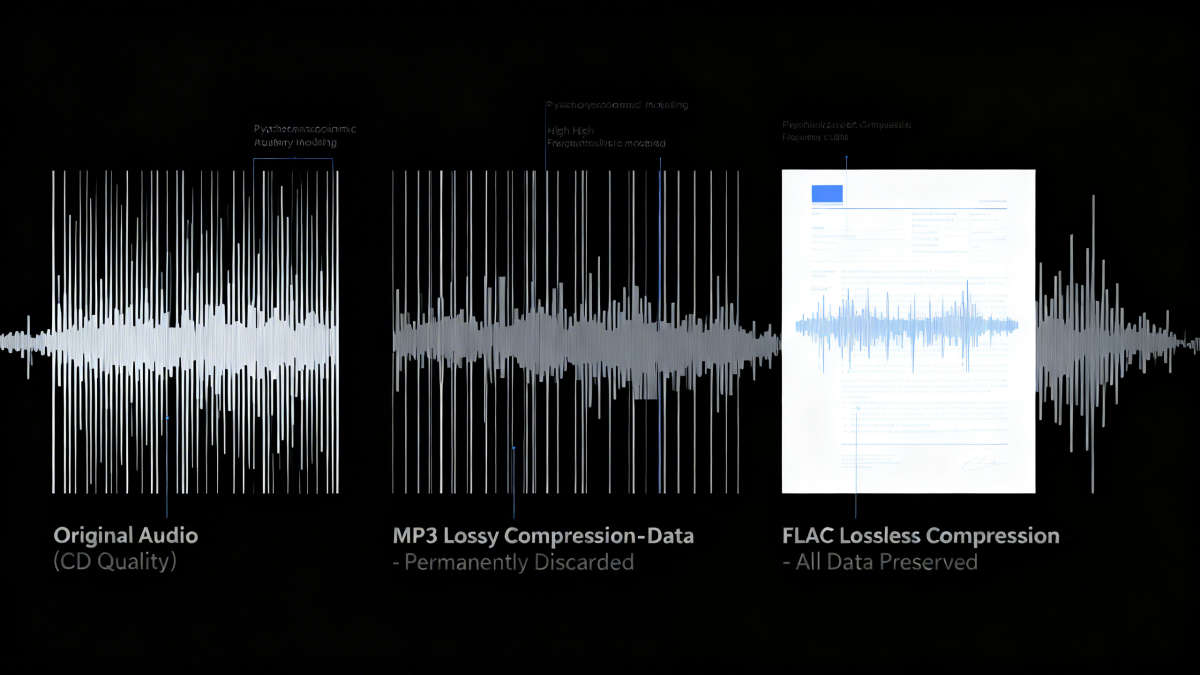
MP3 is lossy—it permanently discards audio data deemed inaudible based on psychoacoustic models. When you encode a CD-quality track (1,411 kbps) to MP3 320 kbps, the encoder:
- Applies frequency cutoff: Most MP3 encoders filter out frequencies above 16-18 kHz, which many adults can't hear anyway
- Uses masking: Removes quieter sounds that are masked by louder nearby frequencies
- Discards temporal details: Strips audio information immediately before and after loud transients
Once this data is deleted, it's gone forever. No software can reconstruct what was never recorded in the MP3 file.
What Conversion Actually Does
When you convert MP3 to FLAC, the process is technically called transcoding or upconverting. The software reads the MP3 file, decodes it to raw audio data (which is already missing the discarded information), then re-encodes that degraded audio into the FLAC format.
The result is a "fake FLAC"—a file that:
- Is 5-10 times larger than the original MP3
- Contains a checksum verifying its internal consistency
- Sounds identical to the original MP3
- Shows the same frequency cutoff (16-18 kHz) in spectral analysis
- Cannot be "upgraded" to true lossless quality later
The Technical Comparison
| Aspect | MP3 (320 kbps) | FLAC (from MP3 source) | True FLAC (from CD) |
|---|---|---|---|
| Compression | Lossy (data discarded) | Lossless (preserves MP3 data) | Lossless (preserves all data) |
| File Size (5-min track) | ~11.5 MB | ~50-60 MB | ~25-40 MB |
| Frequency Response | Cutoff at 16-18 kHz | Cutoff at 16-18 kHz | Full spectrum to 22 kHz |
| Data Recovery | Impossible | Impossible (only preserves MP3 data) | Perfect (bit-for-bit identical to source) |
| Future Transcoding | Generational loss if re-encoded | Can be transcoded without additional loss | Can be transcoded without any loss |
The Photocopy Analogy
Think of a CD-quality audio file as a high-resolution photograph. Converting it to MP3 is like saving that photo as a highly compressed JPEG—the camera discards fine details your eye might not notice. Converting that JPEG to a lossless format like PNG or TIFF doesn't restore the deleted details; it just creates a larger file that faithfully reproduces the JPEG's limitations.
That's exactly what happens when you convert MP3 to FLAC. You're wrapping a lossy file in a lossless container, not restoring lost audio information.
Listening Test Evidence: What Science Says
Technical explanations are one thing, but what does the research say about whether people can actually hear the difference between MP3 and FLAC—and whether converting between them matters?
The ABX Testing Gold Standard
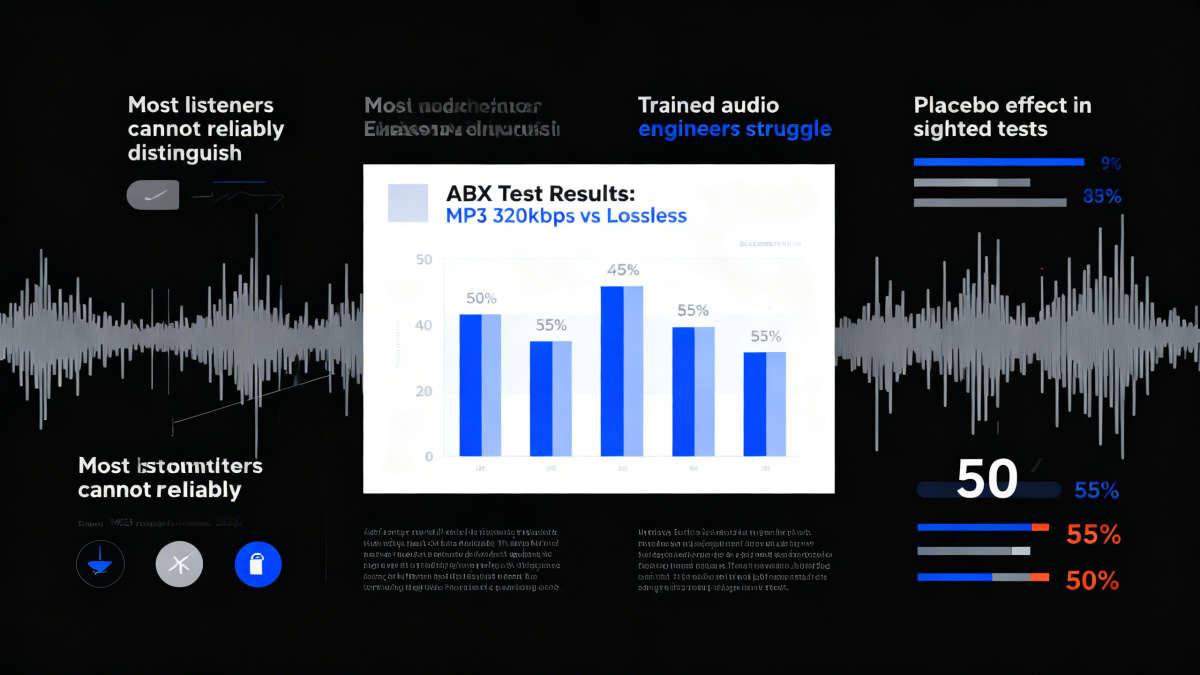
ABX testing is the audiophile community's most rigorous method for detecting audible differences. Listeners are presented with three samples: A (reference), B (comparison), and X (unknown). Their task is to identify whether X matches A or B. Success rates near 50% indicate random guessing—no real difference detected.
For MP3 320 kbps versus lossless sources, the results are clear:
- Large-scale community tests on Hydrogenaudio (thousands of trials) show success rates hovering around 50-55% for 320 kbps MP3 versus lossless—essentially random chance.
- A landmark 2007 study by Meyer & Moran in the Journal of the Audio Engineering Society found that even trained listeners using high-end monitoring equipment could not reliably distinguish high-bitrate lossy files from CD-quality audio.
- Research from the University of Huddersfield confirmed that while 128-192 kbps MP3s are easily identified, 256 kbps and 320 kbps results are statistically insignificant—listeners are essentially guessing.
The 1% Exception
Under specific conditions, a small percentage of listeners with trained ears can detect MP3 320 artifacts:
Killer samples: Certain sounds challenge lossy encoders:
- Cymbal decay and shimmer (high-frequency harmonics that extend beyond 16 kHz)
- Reverb tails in quiet acoustic spaces
- Fast transients like castanets, harpsichord plucks, or snare hits (can sound slightly 'smeared')
- Complex orchestral passages with dense layering
Golden ear training: Audio engineers who've spent years learning to identify compression artifacts (pre-echo, frequency swirl, stereo image narrowing) have an edge.
High-end equipment: The difference is more likely to surface with open-back planar magnetic headphones or studio monitors in acoustically treated rooms.
The Placebo Effect in Audio
Research highlights a critical finding: in sighted tests (where listeners know which file is FLAC), people consistently report hearing better 'detail,' 'soundstage,' and 'clarity.' In blind tests, those same listeners fail to identify the format.
This isn't a knock on audiophiles. Expectation bias is a well-documented psychological phenomenon. The knowledge that you're hearing 'perfect' audio genuinely enhances the subjective experience, even when the waveforms are functionally identical.
What This Means for Conversion
If most people can't reliably distinguish MP3 320 from true lossless files in blind tests, then converting MP3 to FLAC provides zero audible benefit for the vast majority of listeners. You're creating larger files that sound exactly like the originals to human ears.
The only potential psychological benefit is the placebo effect—knowing you have "lossless" files might make you enjoy the music more, but that's a subjective experience, not an objective quality improvement.
Storage and Practical Considerations
Even if conversion doesn't improve quality, you might still consider it for practical reasons. Let's examine the real-world implications of converting an MP3 library to FLAC.
The Storage Math
Converting MP3 to FLAC increases file sizes by 5-10 times. Here's what that means for different library sizes:
| Library Size (MP3 320) | MP3 Storage Needed | FLAC Storage Needed (converted) | Storage Increase |
|---|---|---|---|
| 1,000 songs | ~11.5 GB | ~50-60 GB | 5.2x |
| 5,000 songs | ~57.5 GB | ~250-300 GB | 5.2x |
| 10,000 songs | ~115 GB | ~500-600 GB | 5.2x |
| 50,000 songs | ~575 GB | ~2.5-3 TB | 5.2x |
2026 Storage Costs
The storage market in 2026 has seen significant price increases (35-60% higher than 2023) due to AI-driven demand. Here's the cost impact:
- 8TB HDD (best value): ~$220
- 12TB HDD: ~$320
- 4TB SSD: ~$400 (for OS/database)
- Cloud storage: ~$10/month per TB for reliable services
For a 10,000-song library, converting to FLAC would require an additional ~485 GB of storage. That's nearly half a terabyte of extra space for files that sound identical to the originals.
Device Compatibility
MP3: Universal compatibility. Every device, app, car stereo, and smart speaker built since 1995 plays MP3 files.
FLAC: Widely supported but not universal. While most modern platforms handle FLAC, you'll still encounter:
- Older car stereos that don't recognize FLAC files
- Some Bluetooth speakers with limited format support
- Legacy software that expects MP3 or WAV
- iOS devices that require specific apps for FLAC playback
Converting your entire library to FLAC could create compatibility headaches you didn't have with MP3.
The Bluetooth Reality Check
If you're using Bluetooth headphones or speakers (which most people are in 2026), the wireless codec becomes your limiting factor, not the source file.
- Standard SBC codec: ~328 kbps, lossy compression
- AAC: ~256 kbps
- aptX: ~384 kbps
- aptX HD / LDAC: ~660-990 kbps (still lossy)
Even with aptX Lossless or LDAC at maximum settings, you're re-encoding the audio for wireless transmission. The difference between starting with MP3 320 or FLAC becomes mostly irrelevant once Bluetooth enters the chain.
Workflow Impact
Converting a large library takes time and computational resources:
- Batch conversion time: ~2-4 hours for 10,000 songs on a modern computer
- Metadata preservation: Not all converters maintain tags, ratings, and play counts perfectly
- Organization: Folder structures and file naming might need adjustment
- Verification: You should verify that conversion completed without errors
The Alternative: Strategic Upgrades
Instead of converting everything, consider a targeted approach:
- Identify your most cherished albums (5-10% of your library)
- Source true lossless versions (re-rip CDs, purchase from HDtracks, Qobuz)
- Keep MP3s for everything else
- Use a dual-library approach: FLAC for archival, MP3 for portable devices
This strategy gives you lossless quality where it matters most without the storage bloat of converting your entire MP3 collection.
When Conversion Makes Sense (and When It Doesn't)
With the technical and practical realities established, let's examine specific scenarios where converting MP3 to FLAC might be justified—and where it's clearly not worth the effort.
When Conversion Might Make Sense (Rare Cases)
1. Device Compatibility Requirements
If you have a specialized playback device that only supports FLAC and cannot read MP3 files, conversion becomes necessary. This is rare in 2026 but still exists in some professional audio equipment, certain car stereos, or legacy systems.
2. Preventing Generational Loss in Editing Workflows
If you plan to edit audio files multiple times in professional software, converting MP3 to FLAC before editing can prevent cumulative quality loss. Each time you save an MP3, it recompresses and loses more data. FLAC editing avoids this.
3. Organizational Consistency
If you're building a unified library where you want all files in one format for simplicity, and you're willing to accept the storage cost for that consistency. This is more about workflow management than audio quality.
4. Psychological Peace of Mind
Some collectors genuinely feel better knowing their entire library is in a "lossless" format, even if the technical benefits are nonexistent. If the placebo effect enhances your listening experience enough to justify the storage cost, that's a valid personal choice.
When Conversion Doesn't Make Sense (Most Cases)
1. To Improve Audio Quality
This is the most common misconception. Conversion never restores lost audio data. If you're converting because you think FLAC files will sound better, you're wasting storage space.
2. To Future-Proof Your Library
Converting MP3 to FLAC doesn't future-proof anything. You still have the same degraded audio quality in a larger container. True future-proofing requires sourcing lossless originals.
3. For Bluetooth or Streaming Playback
As discussed earlier, wireless codecs and streaming compression negate any theoretical benefits. The bottleneck is the transmission method, not the source file format.
4. To Save Storage Space
FLAC files are larger, not smaller. If storage is a concern, converting to FLAC moves you in the wrong direction.
5. Because "FLAC is Better"
FLAC is better when sourced from lossless originals. It's not inherently better than MP3 when the source is already lossy.
The Decision Framework
Ask yourself these questions before converting any MP3 files:
- What's my goal? (Quality improvement, compatibility, organization, peace of mind)
- Will conversion achieve that goal? (Refer to the scenarios above)
- What's the storage cost? (Calculate the additional terabytes needed)
- What are the alternatives? (Strategic upgrades, dual-library approach, keeping MP3s)
- Is my time better spent elsewhere? (Curating your library, discovering new music, improving playback equipment)
Practical Alternatives to Conversion
Instead of converting MP3 to FLAC, consider these more effective strategies:
The Hybrid Library Approach
- Maintain FLAC archives for your most cherished music (sourced from lossless originals)
- Keep MP3s for everything else
- Use software like MusicBee, Roon, or Plex that can manage multiple formats seamlessly
The Gradual Upgrade Path
- Identify your top 100 albums
- Source true lossless versions (re-rip CDs, purchase from HDtracks, Qobuz)
- Keep MP3s for the rest
- Upgrade additional albums as you revisit them
The Streaming Complement
- Use streaming services (Qobuz, Tidal, Apple Music Lossless) for discovery and casual listening
- Maintain MP3 library for offline playback and personal favorites
- No conversion needed—streaming provides lossless when you want it
The Equipment Investment
- Instead of spending on storage for converted files, invest in better headphones, speakers, or room treatment
- Better playback equipment improves the sound of all your files, MP3 and FLAC alike
The Verdict: Is It Worth Converting?
The evidence is clear: converting MP3 files to FLAC does not improve audio quality, and for the vast majority of music collectors, it's not worth the storage cost, time, or effort.
The Technical Truth
MP3's lossy compression permanently discards audio data. Converting to FLAC wraps that already-degraded audio in a lossless container, creating files 5-10 times larger that sound identical to the originals. It's a digital photocopy of a photocopy—faithfully reproducing every limitation without restoring what was lost.
The Human Reality
Decades of blind listening tests show that most people—including trained audio engineers—cannot reliably distinguish MP3 320 kbps from lossless files. The placebo effect is real (knowing you have "lossless" files can enhance subjective enjoyment), but that's psychological, not acoustic.
The Practical Bottom Line
Don't convert your MP3 library to FLAC if:
- You want better sound quality (it won't happen)
- You're trying to future-proof your collection (you need lossless originals)
- You listen via Bluetooth or streaming (the codec is the bottleneck)
- Storage space is a concern (FLAC files are larger)
Consider conversion only in these rare scenarios:
- You have playback devices that only support FLAC
- You're editing files multiple times and want to prevent generational loss
- Organizational consistency across your library is worth the storage cost
- The psychological benefit of "lossless" files justifies the expense
The Smart Alternatives
Instead of converting MP3 to FLAC, invest your time and resources in strategies that actually improve your listening experience:
- Build a hybrid library: Source true lossless versions of your favorite albums, keep MP3s for the rest
- Upgrade your playback equipment: Better headphones, speakers, or room treatment improves all your music
- Use streaming services: Access lossless audio on-demand without managing files
- Curate your collection: Focus on discovering and enjoying music, not format conversions
Final Recommendation
Keep your MP3 library as-is. It represents years of musical discovery and personal history. The format is mature, universally compatible, and—at 320 kbps—perceptually transparent for the vast majority of listening scenarios.
If you want true lossless quality, source it from the original masters (CDs, high-resolution downloads, streaming lossless tiers). Don't waste terabytes of storage converting files that already sound as good as they're ever going to get.
Your ears, your storage budget, and your time will thank you for making the informed choice.
Frequently Asked Questions (FAQ)
Q: Why is the converted FLAC file so much larger?
A: FLAC is a lossless container. When you convert an MP3, the software "unpacks" the compressed audio into a full PCM stream before re-wrapping it. While the data footprint grows, it's just a faithful recording of the degraded MP3 quality, not a restoration of lost details.
Q: Can AI software restore the quality of an MP3?
A: Not truly. While AI upscaling (like neural network restoration) can attempt to "guess" and fill in high frequencies, this is "artificial enhancement" rather than "bit-perfect restoration." For audiophiles, this often introduces unpredictable artifacts.
Q: How can I get genuine FLAC files?
A: True lossless quality must come from the source: rip from original CDs using tools like EAC (Exact Audio Copy), purchase high-res downloads from Bandcamp or Qobuz, or use lossless streaming services like Tidal HiFi or Apple Music.
🎧 Experience Ultimate Sound with iPlayer
Whether you choose MP3 or FLAC, iPlayer presents every detail of your audio files through Exclusive Mode (WASAPI/ASIO), bypassing system limitations.
- Supports all major lossless formats (FLAC, WAV, DSD)
- Minimalist UI design, focused on the music
- Powerful metadata management and album art retrieval